Author: Ethan Miller

  • Thermal Comfort, Sleep and the British Summer: What the Science Says About Sleeping in a Country Without Air Conditioning

    Thermal Comfort, Sleep and the British Summer: What the Science Says About Sleeping in a Country Without Air Conditioning

    The UK is not built for hot weather. That is not an opinion; it is a structural reality. The average British home has cavity wall insulation designed to trap warmth, single or double glazing with poor solar gain management, and almost no mechanical cooling. When a heatwave arrives, and according to the Met Office they are becoming more frequent and more intense, British bedrooms turn into something close to a sealed oven. Figuring out how to sleep in heat UK style is therefore not a luxury problem. It is a genuine public health issue.

    Before jumping to tips, it helps to understand what is actually happening in your body when you try to sleep in a warm room. That context changes everything.

    Person lying awake in a warm British bedroom at night illustrating how to sleep in heat UK
    Person lying awake in a warm British bedroom at night illustrating how to sleep in heat UK

    Why your body temperature matters more than room temperature

    Sleep is not triggered by darkness alone. It is triggered by a drop in your core body temperature. As evening approaches, your body begins shunting heat towards the skin and extremities, a process called distal vasodilation. This radiates heat outward, lowers core temperature by roughly 1°C, and signals to the brain that it is time to sleep. The brain then ramps up melatonin production. This is the chain reaction that puts you under.

    A bedroom that is too warm disrupts the first link in that chain. If the ambient temperature is too high, your body cannot offload heat efficiently. Core temperature stays elevated. Melatonin is delayed or suppressed. You lie awake feeling wired and frustrated, which only makes the physiological problem worse by raising cortisol.

    Research published in the journal Sleep Medicine Reviews identifies the optimal bedroom temperature for sleep onset as somewhere between 16°C and 19°C. In a British summer heatwave, bedroom temperatures regularly exceed 25°C by midnight. That gap is not trivial. It represents a meaningful disruption to sleep architecture, reducing time spent in slow-wave and REM sleep even in people who manage to fall asleep.

    How to sleep in heat UK homes: what actually works

    Most advice you will read online boils down to closing curtains and buying a fan. Both are useful. Neither is sufficient on its own, and neither addresses the underlying physiology.

    Accelerate your body’s own cooling mechanism

    Because sleep onset depends on peripheral heat loss, anything that draws blood to the surface of the skin helps. A warm shower or bath 60 to 90 minutes before bed is one of the most evidence-supported interventions available. This sounds counterintuitive. You are adding heat to a body that needs to cool. But the warmth causes immediate vasodilation in hands, feet, and face. When you step out into cooler air, heat radiates outward rapidly, producing a net cooling effect that measurably reduces sleep onset time. A cold shower has the opposite effect: it causes vasoconstriction, which traps heat centrally.

    Wearing light cotton socks to bed serves a similar purpose. Warm feet help blood vessels dilate at the extremities, promoting the outward movement of core heat. Several studies, including work from the Chronobiology Lab at the University of Basel, have found that warming the hands and feet accelerates sleep onset significantly in older adults, though the mechanism applies more broadly.

    Portable fan on a British bedroom windowsill as a strategy for how to sleep in heat UK
    Portable fan on a British bedroom windowsill as a strategy for how to sleep in heat UK

    Think about airflow, not just air temperature

    A fan does not cool the air in a room. It moves it. The cooling effect comes from evaporating sweat on your skin, which removes heat directly. This distinction matters because a fan pointed at your face in a 27°C room is genuinely useful for thermoregulation, while a fan circulating hot air around a sealed room offers less benefit than people assume.

    Cross-ventilation is more effective. Open a window on the cooler side of the house and a window or door on the warmer side, creating a pressure differential that draws air through the space. In UK terraced or semi-detached houses, this often means opening bedroom and bathroom windows on opposite sides of the building. The temperature drop can be several degrees compared with a sealed room.

    The classic advice to keep curtains shut during the day does have merit. South-facing windows in particular allow significant solar heat gain through glass. Blackout curtains or thermal blinds reduce this substantially. But closing curtains in the evening on a cooler night can trap heat that has already built up internally. Once outdoor air drops below indoor temperature, typically after 9 or 10 pm during UK heatwaves, opening windows aggressively to flush hot air out is more valuable than maintaining a sealed environment.

    Bedding and mattress choices matter more than most people realise

    Memory foam and synthetic mattress toppers are notoriously poor at heat dissipation. They conform to the body and restrict airflow at the contact surface, creating localised hot spots that persist through the night. Latex and open-coil mattresses allow better air movement. If a new mattress is not in the budget, sleeping on top of a pure cotton mattress protector rather than on synthetic fabric makes a meaningful difference.

    Cotton and linen bedding outperforms polyester blends significantly. Linen in particular wicks moisture away from the skin faster than almost any natural fabric and feels cool to the touch even at room temperature. A single cotton sheet rather than a duvet is sufficient for most UK summer nights above 20°C. If you need something over you for psychological comfort, a thin muslin blanket is a reasonable compromise.

    Hydration and timing

    Dehydration raises core body temperature, which makes the sleep-onset problem worse. Drinking enough water through the day is relevant here, not just for general health. Aim for pale yellow urine as a simple guide. Avoid large amounts of fluid immediately before bed to prevent waking for the toilet, but do keep a small glass of water on the bedside table: waking briefly in the heat and taking a sip can help settle thermoregulation without fully disrupting sleep.

    Alcohol is a particular issue in summer. It causes initial vasodilation that feels cooling, but as it metabolises it suppresses REM sleep and causes rebound arousal in the second half of the night. Hot and humid nights combined with alcohol lead to the shallow, unrefreshing sleep that many people associate with British summers.

    What about portable air conditioning units?

    Sales of portable air conditioning units have risen sharply in the UK over the past few summers. They do work, but with significant caveats. Most portable units are single-hose designs: they draw air from inside the room, cool it, and exhaust hot air outside through a window duct. The problem is that extracting air from the room creates negative pressure, drawing warm air back in through gaps around doors and other windows. The net cooling effect is considerably less efficient than manufacturers suggest, and running costs are substantial given current energy prices.

    A dual-hose unit addresses this problem but is more expensive and harder to source in the UK market. If budget allows, these are worth considering for anyone with a health condition that makes heat particularly dangerous. The NHS has issued guidance on heat-health risks, particularly for older adults, people with cardiovascular conditions, and those taking certain medications. For those groups, effective cooling is not optional.

    The honest picture

    There is no single fix for sleeping in a poorly insulated British house during a heatwave. What the science offers is a clearer understanding of why the body struggles and which interventions address the root cause rather than just creating the feeling of doing something. A warm bath before bed, cross-ventilation, cotton bedding, and sensible hydration will not replicate a climate-controlled hotel room. But they will move the needle in a way that keeping the curtains shut alone simply will not.

    The UK climate is changing. Understanding how to sleep in heat UK conditions is becoming less of a niche concern and more of a practical skill worth having.

    Frequently Asked Questions

    What is the best room temperature for sleeping in the UK?

    Research suggests a bedroom temperature between 16°C and 19°C is optimal for sleep onset. This is because your body needs to lower its core temperature by around 1°C to trigger the sleep response, which becomes much harder when the room is warmer than this range.

    Does a fan actually help you sleep in the heat?

    Yes, but it works by evaporating sweat from your skin rather than cooling the air in the room. Pointing a fan directly at you while you sleep is genuinely useful for thermoregulation. Cross-ventilation by using fans to push hot air out and draw cooler air in is even more effective.

    Should you have a cold shower or a warm shower before bed in hot weather?

    A warm shower 60 to 90 minutes before bed is more effective for sleep. It causes vasodilation at the skin’s surface, and when you step into cooler air afterwards, heat radiates away quickly, producing a net cooling of your core body temperature. A cold shower causes vasoconstriction, which can actually trap heat centrally.

    Is it worth buying a portable air conditioning unit for a UK bedroom?

    Single-hose portable units are less efficient than they appear because they create negative pressure that draws warm air back into the room. Dual-hose units work better but are harder to find and more expensive. For most people, improving ventilation and using evidence-based sleep strategies will deliver a better cost-to-benefit ratio.

    Why do I sleep so badly during UK heatwaves even when I am not that hot?

    Even modest elevations in bedroom temperature delay sleep onset, reduce slow-wave sleep, and shorten REM sleep. You may not consciously feel overheated, but your body’s thermoregulation process is still being disrupted. Alcohol consumption, which is common during warm social evenings, compounds this by suppressing REM sleep in the second half of the night.

  • What the EU AI Act Means for the Apps and Services You Use Every Day

    What the EU AI Act Means for the Apps and Services You Use Every Day

    The EU AI Act has been quietly coming into force across 2025 and 2026, and most people have no idea what it actually does. That’s a problem, because it directly shapes the apps on your phone, the recommendation algorithms deciding what you watch, and the automated systems that can affect decisions about your finances or healthcare. The EU AI Act consumer impact is real, it’s already here, and it’s worth understanding in plain terms.

    This isn’t just a European issue either. UK readers should pay attention. Although the UK left the EU and has its own emerging AI governance framework, many of the products and platforms used daily by people in Britain are built by companies operating in the EU or selling into the European market. Those companies are now legally required to meet the Act’s standards, which means the changes trickle through to everyone using their products.

    Woman reviewing EU AI Act consumer impact disclosures on a laptop in a modern London office
    Woman reviewing EU AI Act consumer impact disclosures on a laptop in a modern London office

    What the EU AI Act Actually Is

    The EU AI Act is the world’s first comprehensive legal framework specifically for artificial intelligence. It came into force in stages, with the most significant provisions applying to high-risk AI systems from August 2026 onwards. The core idea is straightforward: the more potential harm an AI system can cause, the more oversight and transparency it must demonstrate.

    The Act divides AI into risk tiers. Unacceptable-risk systems, such as social scoring by governments or real-time biometric surveillance in public spaces, are outright banned. High-risk systems, covering areas like healthcare diagnosis tools, credit scoring, and recruitment software, face strict requirements around documentation, human oversight, and accuracy. Lower-risk systems, including most chatbots and content recommendation engines, must meet lighter transparency obligations. General-purpose AI models, like the large language models powering many consumer tools, face their own set of rules around transparency and capability disclosure.

    What Changes for You as a Consumer

    The most immediate change you’re likely to notice is disclosure. Under the EU AI Act, companies must clearly tell you when you’re interacting with an AI system rather than a human. That might sound obvious for a chatbot, but it applies to more subtle situations too: automated customer service systems, AI-generated content, and deepfake detection obligations. If a piece of content is AI-generated and could deceive you, the company behind it must label it as such.

    For health and wellness apps, which increasingly use AI to provide personalised advice, the rules become more significant. Apps making health recommendations that influence medical decisions are likely to fall into higher-risk categories. That means they’ll need to demonstrate their systems are accurate, properly documented, and subject to human oversight. Practically speaking, this should raise the floor on quality for health tech products sold or used across Europe.

    Smartphone showing health app with EU AI Act consumer impact transparency label
    Smartphone showing health app with EU AI Act consumer impact transparency label

    Credit decisions are another area where the EU AI Act consumer impact becomes concrete. If an AI system contributes to a decision about whether you get a loan, insurance, or a rental agreement, you now have a stronger right to an explanation of how that decision was made. This builds on existing rights under GDPR, but goes further in requiring the systems themselves to be auditable and contestable. The UK’s own Financial Conduct Authority has been watching these developments closely, and similar transparency pressures are building domestically.

    High-Risk Classifications and Why They Matter to You

    The high-risk category is where the Act has the most teeth. It covers AI systems used in:

    • Healthcare and medical devices
    • Education and vocational training (systems that assess students)
    • Employment and recruitment
    • Access to essential private and public services, including credit and insurance
    • Law enforcement and border control
    • Administration of justice

    If you’ve ever applied for a job through an automated screening platform, or been assessed by an algorithm for benefits eligibility, those systems now have to meet standards around bias testing, accuracy documentation, and human review. Companies deploying them must register them in an EU database, which is publicly accessible. That’s a meaningful accountability shift. You can actually look up whether a system affecting your life has been properly registered.

    The European Commission’s digital strategy pages maintain updated guidance on the Act’s scope and timelines if you want to go deeper into the official position.

    What About Chatbots and Everyday AI Tools?

    Most of the consumer AI tools people use daily, including writing assistants, productivity apps, and recommendation systems, sit in the lower-risk tiers. They aren’t banned and don’t face the same heavy compliance burden. But they do face transparency requirements. If you’re talking to an AI, it must be clear that you’re talking to an AI. If content has been generated by an AI in a way that could mislead you, it must be labelled.

    The rules around general-purpose AI models (GPAIs) are worth flagging separately. Large-scale models that power many consumer products now have obligations around publishing technical documentation, copyright policies, and, for the most powerful models, full adversarial testing and incident reporting. This means the underlying engines driving the tools you use are subject to transparency requirements you haven’t seen before.

    Does This Apply if You’re in the UK?

    Technically, the EU AI Act does not directly apply in the UK. Post-Brexit, the UK is developing its own approach through the AI Safety Institute and a sector-by-sector regulatory model, rather than a single overarching law. However, the practical EU AI Act consumer impact for UK users is significant for one simple reason: most major tech platforms operate across both markets and are not going to build two entirely separate product versions. They will comply with the stricter standard, which is the EU Act, and that compliance will extend to their UK-facing products too.

    This is sometimes called the Brussels Effect, and it’s exactly what happened with GDPR. UK consumers gained real privacy protections partly because the companies serving them were already complying with EU law. The same dynamic is likely to play out with AI regulation.

    What You Can Actually Do With This Information

    A few practical points worth holding onto. First, if an AI system makes a significant decision about you, whether in hiring, finance, or healthcare, you have growing rights to ask for an explanation. Exercise them. Second, if an app claims to give you medical or mental health guidance, ask how it classifies itself under the Act. Reputable providers should be able to answer. Third, watch for the labelling. When AI-generated content becomes ubiquitous, the labels required by the Act are one of the few honest signals left about what you’re actually looking at.

    The EU AI Act consumer impact is not a silver bullet. Enforcement is complex, and the rules are being tested in real time. But the direction of travel is clear: more transparency, more accountability, and more tools for ordinary people to understand and challenge the automated systems shaping their lives. That’s a genuine step forward, and it’s worth knowing about.

    Frequently Asked Questions

    Does the EU AI Act apply to people in the UK?

    Not directly, since the UK has its own regulatory approach. However, major tech companies serving both the EU and UK markets typically comply with the stricter EU standard, meaning UK consumers often benefit from the same protections in practice.

    What rights do I have if an AI makes a decision about me?

    If a high-risk AI system, such as one used in credit scoring, recruitment, or healthcare, makes or contributes to a significant decision about you, you have the right to request a meaningful explanation of how that decision was reached. Companies must also ensure a human review process is available.

    Which apps or services count as high-risk under the EU AI Act?

    High-risk categories include AI used in healthcare diagnostics, job recruitment screening, credit and insurance assessments, educational evaluation, and law enforcement. These systems face the strictest transparency and documentation requirements under the Act.

    Will companies have to tell me when I'm talking to an AI?

    Yes. The EU AI Act requires that users are clearly informed when they are interacting with an AI system rather than a human. This applies to chatbots, automated customer service, and AI-generated content that could deceive users.

    When did the EU AI Act come into full effect?

    The Act came into force in stages. The ban on unacceptable-risk AI systems applied from early 2025, while the most significant obligations for high-risk AI systems are being enforced from August 2026 onwards.

  • NHS App, Wearables and Patient Data: Who Actually Owns Your Health Information in the UK

    NHS App, Wearables and Patient Data: Who Actually Owns Your Health Information in the UK

    Most people download the NHS App, link a wearable, and move on without reading a single line of the privacy policy. That is completely understandable. But given how much sensitive health information flows between your phone, your GP surgery, third-party apps and commercial data brokers, it is worth spending five minutes understanding what is actually happening to that data and what rights you genuinely hold.

    The short answer to “who owns your health information” is: you do, in principle. The longer answer involves NHS trusts, private app developers, cloud storage agreements, and a patchwork of consents most of us click through without thinking. Let us be specific about each layer.

    Woman reviewing NHS app health data privacy UK settings on smartphone with smartwatch on wrist
    Woman reviewing NHS app health data privacy UK settings on smartphone with smartwatch on wrist

    What Does the NHS App Actually Store and Share?

    The NHS App gives patients in England access to GP records, appointment booking, repeat prescriptions, and increasingly, hospital referral letters. It is run directly by NHS England, which means the core platform is governed by strict NHS data policies and UK GDPR. Your GP record data is held by NHS England under a legal basis of public task, not consent, which means you cannot simply opt out and have it deleted in the way you might with a commercial app.

    Where it gets more complicated is third-party integrations. The NHS App marketplace now includes services from private providers offering things like online consultations, pharmacy delivery, and mental health support. Each of these has its own privacy policy, its own data controller status, and its own relationship with your information. When you tap “connect” on one of these services, you are entering a separate contractual relationship that operates partly outside NHS data governance.

    The Information Commissioner’s Office (ICO) provides clear guidance on health data processing under UK GDPR, classifying health information as special category data requiring explicit consent or another specific lawful basis. That framework exists. The question is whether it is being applied consistently across every app integration.

    NHS App Health Data Privacy UK: The Third-Party App Problem

    Consumer health apps operating outside the formal NHS structure present a murkier picture. Apps that connect to NHS login or pull data from Apple Health, Google Health Connect, or Fitbit do so under whatever terms you agreed to when you set up each platform. A step count from your smartwatch, combined with your sleep pattern, heart rate variability, and menstrual cycle tracking, creates a detailed health profile that can be more revealing than a single GP consultation.

    In 2023, research from University College London found that several popular health apps shared user data with advertising networks despite claiming not to. Whilst the regulatory picture has tightened since then, the underlying business model for many free health apps remains data monetisation. If an app is free and it has investors, the question worth asking is where the revenue actually comes from.

    Smartwatch and privacy document representing NHS app health data privacy UK concerns
    Smartwatch and privacy document representing NHS app health data privacy UK concerns

    Wearables complicate this further. Garmin, Fitbit (owned by Google), Apple Watch and Samsung Galaxy Watch all store health data on servers that may sit outside the UK. Under UK GDPR, data transferred internationally must have adequate protections in place, but enforcement of this in practice remains inconsistent. The ICO has the power to investigate and fine, but consumer complaints are rarely the trigger for action.

    What UK GDPR Actually Gives You

    Under UK GDPR, you have several meaningful rights when it comes to your health data. You can request a subject access request (SAR), which means any organisation holding your data must provide a copy within one calendar month, free of charge. You have the right to rectification if something is incorrect, and in certain circumstances the right to erasure.

    For NHS data specifically, the right to erasure is more limited. Clinical records are retained for legal and clinical safety reasons, and NHS England is required to keep GP records for a minimum of ten years after a patient’s death. You cannot simply request deletion of your medical history from NHS systems. What you can do is opt out of your data being used for research and planning purposes via the national data opt-out, which is managed through your NHS login settings.

    For commercial apps and wearables, your erasure rights are stronger, provided the company is based in the UK or processes UK residents’ data. Submit a deletion request in writing, keep a copy, and if the company fails to respond within the statutory period, you can escalate directly to the ICO.

    The Data-Sharing Controversies Worth Knowing About

    The most significant UK controversy in recent years was the General Practice Data for Planning and Research (GPDPR) programme, which NHS Digital proposed in 2021. It would have extracted GP records from across England for use by researchers and, critically, commercial third parties. Public backlash and ICO scrutiny led to the programme being paused and subsequently redesigned with tighter controls. It demonstrated that public pressure and regulatory attention can shift NHS data policy.

    More recently, controversy has surrounded how private companies with NHS contracts handle patient data. Several NHS trusts have used software platforms from US-based companies, raising questions about data sovereignty. The Department of Health and Social Care has updated its guidance on cloud services, but critics argue enforcement lags far behind adoption.

    Practical Steps to Protect Your Health Data

    None of this means you should delete every health app and throw your wearable in the bin. The data these tools generate can be genuinely useful for managing long-term conditions, tracking fitness progress, and supporting mental health. The aim is informed use, not paranoia.

    A few concrete things worth doing. First, review the third-party connections in your NHS App settings and disconnect any services you no longer actively use. Second, check the privacy settings on your wearable platform and limit data sharing to the minimum necessary. Most platforms allow you to prevent data being used for product improvement or advertising if you look hard enough. Third, if a health app asks for access to contacts, location, or camera and cannot explain why it needs them, that is a meaningful red flag.

    For anyone managing a serious health condition, it is worth checking whether your consultant or specialist clinic uses NHS-governed systems or a private platform, and what the data retention policy is. You are entitled to ask. You are entitled to a clear answer.

    NHS app health data privacy UK is not a niche concern for civil liberties campaigners. It is a practical question that affects anyone who has ever booked a GP appointment online, used a smartwatch, or downloaded a wellbeing app. The rules exist to protect you. Knowing them is how you actually use them.

    Frequently Asked Questions

    Who legally owns my NHS health records in the UK?

    Your health records belong to the NHS organisation that created them, such as your GP surgery or NHS trust, not to you personally. However, under UK GDPR you have significant rights over that data, including the right to access it, correct inaccuracies, and in limited cases restrict its use. You do not have an absolute right to have clinical records deleted.

    Can third-party apps linked to the NHS App access my medical records?

    Only if you explicitly grant permission. When you connect a third-party service via the NHS App marketplace, that provider becomes a separate data controller with its own privacy policy. You should read that policy before connecting, and you can revoke access at any time through the NHS App settings.

    How do I opt out of my NHS data being used for research?

    You can register a national data opt-out through your NHS login or via the NHS website. This prevents your confidential patient data from being used for research and planning purposes outside your direct care. It does not affect the medical treatment you receive.

    Is my Fitbit or Apple Watch health data protected under UK law?

    If the company processes data about UK residents, UK GDPR applies regardless of where the company is based. You have rights including subject access, rectification, and erasure. In practice, enforcement across international platforms is complex, so reviewing and adjusting privacy settings within each app is your most immediate line of defence.

    What can I do if I think a health app has misused my data?

    First, submit a written complaint directly to the app’s data controller and request a response within one month. If they fail to respond adequately, you can file a complaint with the ICO at ico.org.uk, which has the authority to investigate and issue fines under UK GDPR. Keep records of all communications.

  • Why Your Smartphone Is Probably Disrupting Your Sleep More Than You Think

    Why Your Smartphone Is Probably Disrupting Your Sleep More Than You Think

    Most people have heard the blue light warning. Put your phone down before bed, get a blue light filter, maybe buy some orange-tinted glasses. It’s become standard advice, almost background noise. But smartphone sleep disruption runs considerably deeper than the light coming off your screen, and understanding why matters if you actually want to fix it.

    The mechanisms at work are neurological, hormonal, and behavioural. Some of them kick in before you’ve even opened an app.

    Person in bed at night showing smartphone sleep disruption from screen use
    Person in bed at night showing smartphone sleep disruption from screen use

    What Blue Light Actually Does (And What It Doesn’t Explain)

    Blue light is real. Short-wavelength light in the 460–480 nm range suppresses melatonin production by activating intrinsically photosensitive retinal ganglion cells (ipRGCs), which feed directly into the suprachiasmatic nucleus in the hypothalamus. This is your body’s master clock. Disrupting it shifts your circadian rhythm later, making it harder to fall asleep and harder to wake up feeling rested.

    According to the NHS Every Mind Matters resource on sleep, poor sleep is linked to increased risk of anxiety, depression, and reduced immune function. The ripple effects are not trivial.

    But here’s the thing: blue light filters and night mode settings reduce the problem modestly at best. Research from the University of Manchester suggests the warm-toned light emitted by night mode may actually still interfere with sleep onset because the brain’s circadian photoreceptors are sensitive to luminance levels, not just colour temperature. The bigger problems are happening elsewhere.

    The Dopamine Loop Nobody Talks About

    Your smartphone is a variable reward machine. Social media feeds, messaging apps, news notifications. each delivers unpredictable micro-doses of novelty. Novelty triggers dopamine release in the nucleus accumbens. Dopamine creates anticipation, not satisfaction, which means you keep scrolling to get the next hit.

    This state of heightened arousal is the opposite of what the brain needs to transition into sleep. Sleep onset requires a drop in core body temperature, a reduction in cortisol, and a gradual shift in brain activity from beta waves (alert, focused) to alpha and then theta waves. Scrolling through your phone at 23:00 actively prevents this transition. Your nervous system is in a mild but persistent state of activation.

    The problem compounds because this loop is habitual. Many people reach for their phone within minutes of waking and within minutes of getting into bed. The bedroom itself becomes conditioned as a place of stimulation rather than rest, which is a well-documented issue in sleep medicine known as stimulus control failure.

    Smartphone notifications on bedside table contributing to smartphone sleep disruption
    Smartphone notifications on bedside table contributing to smartphone sleep disruption

    Cortisol, Notifications, and the Threat Response

    Every notification your phone delivers is, at a neurological level, a potential threat signal. Your brain has to assess it: is this important? Do I need to act? Even if the answer is no, the assessment process costs something. It triggers a small spike in cortisol, the primary stress hormone, and cortisol and sleep are fundamentally incompatible in high quantities.

    Research published in the journal Sleep Medicine Reviews has found that higher evening smartphone use is associated with elevated sympathetic nervous system activity, meaning your body’s fight-or-flight system is partially engaged when it should be winding down. This is why people often report lying in bed feeling tired but wired. The fatigue is real. The inability to switch off is also real. Both things are true at once.

    Keeping your phone on the bedside table, even face-down and on silent, maintains a low-level anticipatory state. The brain knows the device is there. For many people, that knowledge alone is enough to produce lighter, more fragmented sleep.

    Sleep Architecture and the REM Problem

    Even when smartphone users do fall asleep, there’s evidence that sleep architecture is affected. REM sleep, the phase most associated with memory consolidation, emotional regulation, and cognitive recovery, tends to be reduced or delayed in people with high evening screen use.

    A study from King’s College London found that adolescents who used smartphones after lights-out had significantly reduced sleep duration and worse sleep quality than those who didn’t, even when controlling for total screen time during the day. The timing matters as much as the volume.

    Adults are not immune. The pattern of late-night phone use pushing back sleep onset by 30 to 45 minutes, compounded over a working week, creates what researchers call sleep debt. That debt doesn’t fully clear over a weekend. Cognitive performance, mood regulation, and metabolic function all take sustained hits.

    What Actually Helps: Practical Steps That Work

    Switching off completely is not realistic for most people, and it’s not necessary. What matters is creating firm boundaries around the specific window when smartphone sleep disruption does its damage.

    Set a hard cut-off 60 to 90 minutes before bed. Not a soft suggestion, a hard rule. Put the phone in another room if possible. The physical distance removes the temptation and the passive anticipatory stress.

    Turn off non-essential notifications entirely. Not just for the evening, permanently. Most notifications are not urgent. Your nervous system does not know that. Reducing the frequency reduces the cortisol spikes throughout the day, which lowers your overall arousal baseline by evening.

    Charge your phone outside the bedroom. This single habit change is probably the most impactful one. It removes the device from your sleep environment, breaks the conditioned association between bed and scrolling, and stops the impulse check at 03:00 when you stir between sleep cycles.

    Replace the pre-sleep phone habit with something genuinely low-stimulation. Reading physical print, light stretching, or even just sitting quietly works. The goal is to give your parasympathetic nervous system time to take over from the sympathetic state your phone was sustaining.

    Use your phone’s screen time or focus tools. Both iOS Screen Time and Android Digital Wellbeing allow you to schedule downtime, block specific apps, and set wind-down reminders. These tools are not perfect, but they introduce friction, and friction is often enough to break an automatic behaviour.

    The Bigger Picture

    Smartphone sleep disruption is not a willpower problem. The design of these devices works against sleep by intention: more engagement means more data, more ad revenue, more retention. Understanding the neurological mechanisms makes it easier to stop blaming yourself and start making structural changes instead.

    Sleep is not passive. It is an active, biologically complex process that your brain needs specific conditions to execute properly. Protect those conditions and most people find their sleep quality improves faster than they expect. The biology is straightforward once you stop treating the phone as neutral.

    Frequently Asked Questions

    Does blue light from phones really cause sleep problems?

    Blue light does suppress melatonin production, but it’s only one part of the problem. The dopamine-driven behavioural loops, cortisol spikes from notifications, and heightened nervous system arousal caused by evening phone use are equally significant contributors to poor sleep quality.

    How long before bed should I stop using my phone?

    Sleep researchers generally recommend stopping smartphone use 60 to 90 minutes before your intended sleep time. This gives your cortisol levels time to drop and allows the brain to begin transitioning from alert beta-wave activity toward the slower wave states needed for sleep onset.

    Does keeping my phone on silent next to the bed fix smartphone sleep disruption?

    Partially, but not fully. Keeping the phone in the bedroom still creates a low-level anticipatory state for many people, and checking it when you wake briefly during the night disrupts sleep cycles. Moving it to another room is the more effective solution.

    Can I use night mode or a blue light filter to reduce the sleep impact?

    Night mode reduces but does not eliminate the problem. Research from the University of Manchester suggests warm-toned light can still affect the brain’s circadian system through luminance levels. Reducing overall screen brightness and stopping use earlier is more reliably effective.

    How quickly will my sleep improve if I stop using my phone before bed?

    Many people notice improvements within a few days to a week of consistently removing their phone from the bedroom and stopping use 60 to 90 minutes before bed. Full recalibration of circadian rhythm disruption can take two to three weeks of consistent behaviour change.

  • The Hidden Mental Health Cost of Constant Connectivity in 2026

    The Hidden Mental Health Cost of Constant Connectivity in 2026

    Most of us are online before we have even had breakfast. A notification before the alarm even fades, emails on the commute, Slack pings during lunch. The pace rarely drops. And while technology has delivered genuine, undeniable benefits, the evidence is increasingly clear that our always-on digital environments are extracting a real cost on mental health, one that many people are only beginning to recognise as a problem worth taking seriously.

    This is not a call to bin your smartphone or move to a remote Scottish island. It is a look at what the research actually says about digital connectivity mental health, where the risks genuinely lie, and what realistic changes make a meaningful difference.

    Woman overwhelmed by digital devices illustrating digital connectivity mental health concerns
    Woman overwhelmed by digital devices illustrating digital connectivity mental health concerns

    What the Research Is Actually Showing in 2026

    The science has matured considerably over the past few years. Early studies linking screen time to poor wellbeing were often criticised for being too broad or methodologically weak. More recent work is far more specific. A 2025 review published in the journal Psychological Medicine found that chronic exposure to high-notification digital environments is strongly associated with elevated cortisol levels, reduced working memory performance, and increased self-reported symptoms of anxiety and burnout.

    The NHS itself has acknowledged the link. Its mental health guidance now explicitly includes digital overload as a contributing factor to anxiety and sleep disruption, particularly among working-age adults. According to the Mental Health Foundation, stress, anxiety, and depression remain the most common mental health concerns across the UK, and work-related digital pressure features prominently in the reported triggers.

    What is particularly interesting is the concept of cognitive residue. Research from the University of California (replicated in UK studies) shows that after being interrupted by a digital notification, it can take more than 20 minutes to fully regain your previous level of focus. Multiply that across a working day and the accumulated mental cost becomes significant. Concentration does not just dip; it erodes over time.

    Why Anxiety and Burnout Feel Different Now

    Burnout is not new. But the texture of it has changed. Previously, burnout was associated with overwork in physically demanding or high-stakes environments. In 2026, it shows up in people who technically have manageable workloads but exist in a state of permanent low-level arousal, always available, always half-monitoring something.

    This is sometimes called technoference, the interference of technology in everyday mental functioning. It is not dramatic. It does not announce itself. It gradually narrows your ability to feel genuinely rested, even during time that is technically leisure. You check your phone during a film. You read one more email before bed. The boundary between on and off simply disappears.

    Digital connectivity mental health concerns are also showing up in younger adults at higher rates than before. A 2025 ONS survey on adult wellbeing highlighted that people aged 25 to 40 reported lower life satisfaction scores on average than previous cohorts, with work-related digital pressure cited as a key factor. This is the group most likely to be navigating hybrid work, productivity apps, and the expectation of constant availability.

    Smartphone notifications piling up representing digital connectivity mental health impact
    Smartphone notifications piling up representing digital connectivity mental health impact

    The Specific Mechanisms That Do the Damage

    It helps to be precise about what is actually causing harm, because the solutions become more obvious once you identify the mechanisms.

    Notification overload and the dopamine loop

    Notifications are designed to interrupt. Each ping triggers a small dopamine response, a brief anticipatory reward. Over time, the brain begins to crave these micro-stimulations, making sustained, deep focus increasingly difficult. This is not a character flaw. It is a predictable neurological response to an environment engineered for engagement.

    Sleep disruption from blue light and mental activation

    The NHS advises avoiding screens for at least an hour before bed, and with good reason. Blue light suppresses melatonin production, but arguably the bigger issue is mental activation: checking emails or reading distressing news before sleep keeps the brain in a state of alertness that is difficult to wind down from. Poor sleep then compounds anxiety the following day, creating a self-reinforcing cycle.

    Social comparison via social media

    Passive scrolling on platforms like Instagram and TikTok is consistently associated with lower self-esteem and increased anxiety, particularly when it involves upward social comparison. The key word is passive. Active, intentional engagement with others online does not carry the same risk profile.

    Realistic Strategies That Actually Help

    Going fully offline is not practical for most people and, frankly, not necessary. The goal is to create deliberate friction between you and the worst habits that digital connectivity mental health research has flagged as harmful.

    Set app-specific time limits using your phone’s built-in tools. Both iOS Screen Time and Android’s Digital Wellbeing features allow you to cap usage on specific apps. Setting a 30-minute daily limit on social media is not restrictive. It is simply intentional.

    Batch your notifications. Rather than reacting to every ping in real time, schedule two or three windows per day for checking messages and emails. Research from the University of British Columbia (cited in NHS mental health guidance) found that limiting email checks to three times daily reduced stress without reducing productivity.

    Protect your mornings and evenings. The first and last 30 minutes of your day are high-leverage times. Reaching for your phone first thing primes your brain for reactivity rather than intention. Keeping it out of the bedroom is one of the single most effective, low-effort changes available to most people.

    Use physical cues for transitions. When shifting from work mode to personal time, create a ritual that signals the change. A short walk, making a cup of tea, changing clothes. These small acts help the nervous system disengage from the hyper-vigilant state that constant connectivity encourages.

    Audit your tools, not just your time. Are all the apps on your phone genuinely useful, or are some simply habitual? Uninstalling apps you use reflexively rather than purposefully removes the temptation without requiring ongoing willpower.

    When to Seek Proper Support

    If anxiety, persistent fatigue, or low mood are significantly affecting your daily life, behavioural tweaks alone are not enough. The NHS offers free access to talking therapies through the IAPT (Improving Access to Psychological Therapies) service, which you can self-refer to at nhs.uk. Cognitive behavioural therapy (CBT) has solid evidence behind it for both anxiety and burnout, and waiting times have improved in many areas.

    The relationship between digital connectivity mental health and clinical-level distress is not straightforward. For some people, screen habits are a contributing factor. For others, they are a coping mechanism masking deeper issues. A qualified practitioner can help untangle that distinction in a way that a self-help article cannot.

    The Bottom Line

    Constant connectivity is not inherently harmful. The internet, for all its problems, has expanded access to healthcare information, community, and opportunity in genuinely meaningful ways. But the evidence is now robust enough to say clearly: an always-on default is costing many people their concentration, their calm, and over time, their mental health.

    You do not have to choose between being connected and being well. You do have to make a few deliberate choices about how and when you are connected. That distinction, simple as it sounds, is where most of the gains are hiding.

    Frequently Asked Questions

    Can too much screen time really cause anxiety?

    Yes, according to multiple peer-reviewed studies. Chronic exposure to high-notification digital environments raises cortisol levels and is associated with increased symptoms of anxiety. The effect is strongest with passive social media use and late-night screen activity that disrupts sleep.

    What is digital burnout and how do I know if I have it?

    Digital burnout describes a state of persistent mental fatigue and reduced capacity to concentrate, caused by always-on digital exposure rather than physical overwork. Common signs include feeling exhausted despite rest, inability to focus without checking your phone, and a persistent sense of low-level stress even during leisure time.

    How long should I be away from screens each day to protect my mental health?

    There is no universal figure, but research supports protecting at least the first and last 30 minutes of your day from screen use. The NHS also recommends a screen-free period before bed to support healthy sleep, which has a strong knock-on effect on mental wellbeing.

    Does limiting notifications actually reduce stress?

    Research suggests it does. Batching notifications rather than responding in real time reduces the cognitive interruption cycle that drives mental fatigue. Studies have found that checking email just three times a day rather than continuously can measurably reduce self-reported stress.

    Where can I get NHS help for anxiety linked to work and digital pressure?

    You can self-refer to NHS talking therapies (formerly IAPT) without needing a GP referral first. Cognitive behavioural therapy is commonly offered and has strong evidence for treating both anxiety and burnout. Visit nhs.uk/mental-health to find your local service.

  • Open Source vs Proprietary AI Models: What the Difference Actually Means for You

    Open Source vs Proprietary AI Models: What the Difference Actually Means for You

    Most people using AI tools day-to-day have no idea whether the model running underneath is open source or proprietary. And honestly, that gap matters more than it might seem. The choice between open source vs proprietary AI shapes who can see your data, how reliable the tool is long-term, what it costs you, and who gets to decide when things change. These are not abstract technical questions. They have real consequences for individuals, small businesses, and organisations across the UK.

    Developer examining open source vs proprietary AI code on a workstation in a UK office
    Developer examining open source vs proprietary AI code on a workstation in a UK office

    What does open source actually mean in AI?

    In simple terms, an open source AI model is one where the underlying code, and often the model weights themselves, are made publicly available. Anyone can inspect it, download it, modify it, and in many cases run it locally on their own hardware. Meta’s Llama models are a well-known example. Mistral, a French AI company, has also released open models that developers across Europe have adopted widely.

    Proprietary AI, by contrast, is a closed system. The company that builds it controls everything: the training data, the model architecture, the safety guidelines, the pricing, and the infrastructure. OpenAI’s GPT-4o, Google’s Gemini, and Anthropic’s Claude are all proprietary. You access them through an API or a consumer-facing product, but you never see what’s underneath.

    Privacy: who can actually see what you type?

    This is where open source vs proprietary AI becomes very concrete. When you use a proprietary AI service, your prompts and outputs typically pass through that company’s servers. Depending on their terms of service, your inputs may be used to improve the model, stored for a defined period, or reviewed by human moderators for safety reasons. The UK Information Commissioner’s Office has made clear that UK GDPR applies to AI systems processing personal data, which means those companies are legally obliged to handle data appropriately. But whether they do, and how you’d verify it, is another matter.

    Open source models that you run locally hand control back to you entirely. Nothing leaves your machine. For a GP surgery, a solicitor’s firm, or any professional handling sensitive client information, that distinction is significant. The catch is that running a capable model locally requires real technical skill and reasonably powerful hardware.

    Close-up of hands at a laptop exploring open source vs proprietary AI privacy considerations
    Close-up of hands at a laptop exploring open source vs proprietary AI privacy considerations

    Reliability and the risk of dependency

    Proprietary AI products can change without warning. Pricing goes up. Features are removed. An API that your business has built a workflow around gets deprecated. This has already happened to developers who integrated early versions of commercial AI models, only to find behaviour shift noticeably between versions as companies quietly updated their systems.

    Open source models sidestep this risk in a meaningful way. Once you have a version of a model, it does not change unless you choose to update it. A small UK legal tech startup, for example, could pin their application to a specific version of an open model and maintain consistent output quality indefinitely. That kind of control is simply not available with closed systems.

    That said, reliability has another dimension: performance and safety guardrails. Proprietary models tend to have more extensive testing, red-teaming, and content filtering. Open source models vary considerably. Some community-maintained models have weak or nonexistent safety filters, which introduces different risks if you are deploying to end users.

    Cost: cheap until it isn’t

    Many proprietary AI tools start free or at low cost, then introduce tiered pricing as you scale. OpenAI’s API pricing, for instance, is charged per token and can accumulate quickly if you are processing high volumes of text. For a small business handling thousands of queries a month, that cost becomes non-trivial.

    Open source models can dramatically reduce those ongoing costs. If you have the infrastructure to run them, the marginal cost per query drops to almost nothing. The upfront investment in compute and engineering time is real, but many UK companies are finding the economics make sense at medium scale. Cloud providers including AWS and Google Cloud now offer hosted versions of some open models, which provides a middle ground between full self-hosting and pure proprietary dependency.

    The power balance between users and tech companies

    This is perhaps the least discussed but most important dimension of the open source vs proprietary AI debate. Proprietary AI centralises enormous power in a small number of companies, most of them based in the United States. They set the terms. They decide what the model will and will not do. They can implement restrictions overnight based on political pressure, regulatory concerns, or business strategy changes that have nothing to do with your needs.

    Open source distributes that power. It allows academic researchers, smaller companies, national governments, and individuals to build on AI capability without depending on a commercial relationship that can be withdrawn. The UK government’s AI Safety Institute has acknowledged the importance of understanding both open and closed frontier models precisely because the governance implications differ substantially.

    None of this means proprietary AI is bad and open source is good. The reality is more nuanced. A sole trader using a consumer AI tool for drafting emails does not need to run a local model. But a hospital trust, a financial services firm, or any organisation handling genuinely sensitive data should at least be asking these questions seriously.

    Which one should you actually use?

    For most individuals and small businesses, proprietary AI products remain the practical choice. They are easier to access, better documented, and more capable on complex tasks. If you are not handling sensitive data and you are comfortable with a company’s data terms, the tradeoffs are manageable.

    If you are in a regulated sector, building a product, or simply value knowing that your data stays where you put it, it is worth exploring what open source models can do. The capability gap between open and closed models has narrowed considerably in 2025 and 2026. Models like Meta’s Llama 3 and Mistral’s recent releases perform competitively on many everyday tasks.

    The honest answer is: understand what you are signing up for before you build your workflows around either. The open source vs proprietary AI question is not a one-time decision. It is something worth revisiting as your needs and the landscape both evolve.

    Frequently Asked Questions

    Is open source AI safe to use?

    It depends on the model and how it is deployed. Well-maintained open source models from reputable organisations can be safe, but they often have fewer built-in safety guardrails than large proprietary systems. Anyone deploying an open source model to end users should conduct their own safety and content moderation review.

    Can I run an open source AI model without a powerful computer?

    Smaller open source models can run on a modern laptop with a decent GPU, but larger, more capable models require significant compute power. Cloud platforms now offer hosted open source options, which removes the hardware requirement entirely while still reducing some of the proprietary dependency.

    Do proprietary AI companies store my data?

    Most proprietary AI providers do retain prompt data to some extent, though enterprise tiers often offer opt-outs. UK GDPR requires these companies to handle personal data lawfully, so you should check the provider’s data processing agreement and privacy policy before using any AI tool with sensitive information.

    What is the main advantage of proprietary AI over open source?

    Proprietary models from companies like OpenAI, Google, and Anthropic tend to be more capable on complex tasks, better tested for safety, and far easier to access without technical expertise. They are generally the right choice for individuals or teams who need reliable, high-quality output without managing infrastructure.

    Is open source AI cheaper than proprietary AI?

    It can be significantly cheaper at scale if you have the technical capability to self-host. For individual users, many proprietary tools have free tiers that make the cost comparison largely irrelevant. The real cost saving from open source comes when you are processing high volumes and would otherwise pay substantial API fees.

  • Vitamin D Deficiency Is Still Rampant in the UK — Here’s Why Nothing Has Changed

    Vitamin D Deficiency Is Still Rampant in the UK — Here’s Why Nothing Has Changed

    Around one in five people in the UK has low vitamin D levels. That figure comes from the NHS and the National Diet and Nutrition Survey, and it has barely shifted in years. For certain groups, including older adults, people with darker skin tones, and those who spend most of their time indoors, the numbers are considerably worse. Vitamin D deficiency UK is not a niche concern. It is a mainstream public health problem that keeps getting quietly filed away.

    So why, in 2026, are we still here? The science is settled. The fix is cheap. And yet the problem persists. This article is a frank look at how that happened, and what you can do about it without waiting for policy to catch up.

    Grey overcast British street in winter illustrating the challenge of vitamin D deficiency UK
    Grey overcast British street in winter illustrating the challenge of vitamin D deficiency UK

    What vitamin D actually does — and why a shortfall matters

    Vitamin D is not optional. The body uses it to regulate calcium and phosphate, which in turn keep bones, teeth, and muscles working properly. A severe and prolonged deficiency causes rickets in children and osteomalacia in adults, conditions involving soft, painful bones. But the lower-level effects of chronic insufficiency are less dramatic and therefore easier to ignore: persistent fatigue, low mood, weakened immune response, and muscle weakness.

    There is also a growing body of research linking poor vitamin D status to increased risk of respiratory infections, autoimmune conditions, and cardiovascular disease. The NHS acknowledges this. Public Health England (now the UK Health Security Agency) has known it for decades. The Scientific Advisory Committee on Nutrition published a landmark report on vitamin D in 2016, recommending that everyone in the UK consider supplementation throughout the year. That was ten years ago.

    Why the UK is structurally bad at producing vitamin D

    The primary source of vitamin D is sunlight — specifically UVB rays hitting the skin. The problem is that the UK sits between roughly 50°N and 60°N latitude. Between October and March, the sun is at such a low angle that UVB rays cannot penetrate the atmosphere sufficiently to trigger vitamin D synthesis in the skin. That is five months of the year where sun exposure does almost nothing.

    Add to that the indoor working culture, the tendency to cover up during cold months, and the fact that darker skin requires significantly longer sun exposure to produce the same amount of vitamin D, and you have a structural problem baked into British life. This is not a lifestyle failure. It is a geographical and demographic reality.

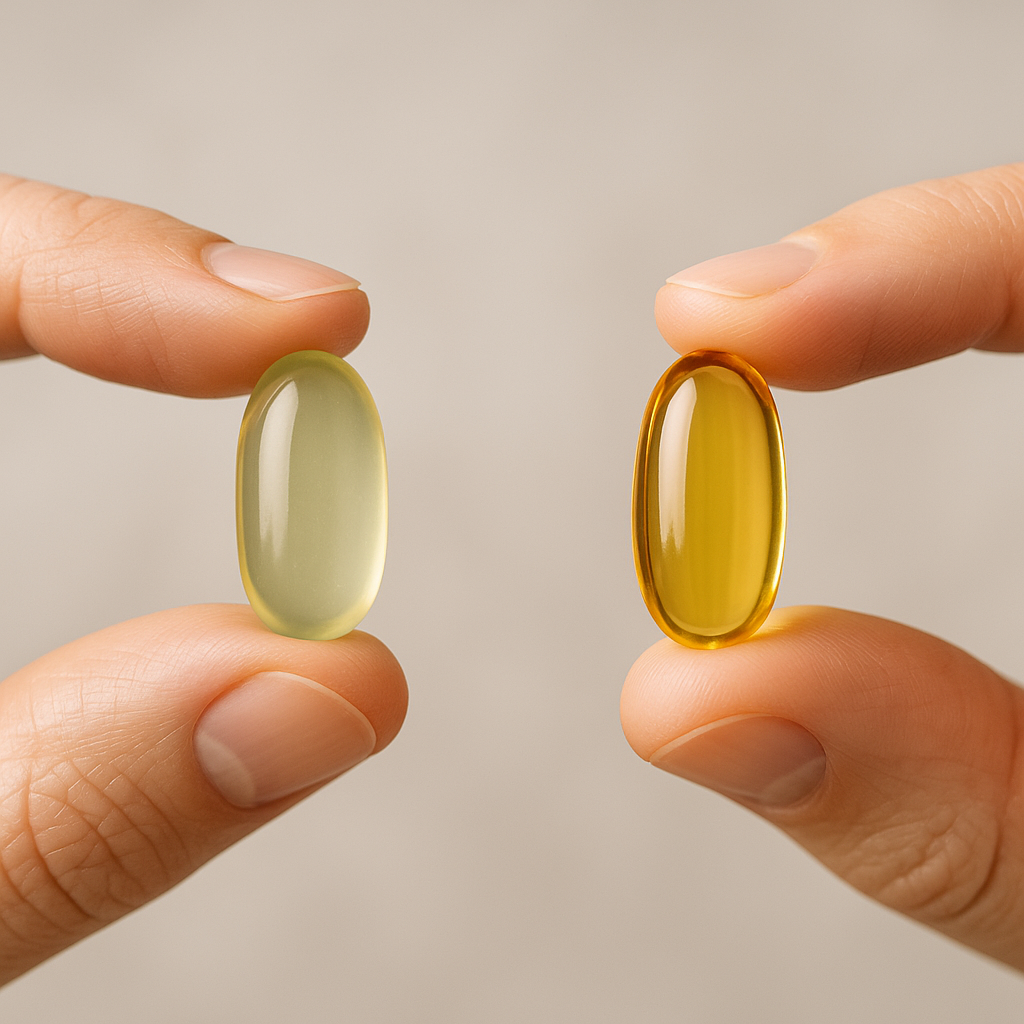
    Vitamin D supplement capsule on a wooden surface representing treatment for vitamin D deficiency UK
    Vitamin D supplement capsule on a wooden surface representing treatment for vitamin D deficiency UK

    Where policy has fallen short

    The 2016 SACN recommendation was clear: 10 micrograms (400IU) per day for everyone aged four and over, year-round. The government responded by updating NHS guidance and making vitamin D supplements available free via the Healthy Start scheme for pregnant women and young children in low-income households. That is a start, but it is nowhere near enough.

    Healthy Start uptake has historically been incomplete. Awareness among eligible families is patchy, and the scheme does not reach the broader population. There has been no serious push to fortify staple foods at a population level, which is one of the most effective interventions available. Countries like the United States and Canada mandated vitamin D fortification of dairy milk decades ago. The UK has relied on voluntary fortification, which means some cereals and plant milks contain vitamin D and some do not, with no consistency consumers can rely on.

    There have been calls from researchers and public health bodies for mandatory fortification of bread flour or milk. The evidence supports it. The cost is minimal. But progress has been slow, caught between food industry lobbying, bureaucratic inertia, and the fact that vitamin D deficiency rarely generates the kind of visible, acute crisis that forces political action.

    Who is most at risk in the UK right now

    Certain groups face disproportionately high risk of vitamin D deficiency UK-wide. They include:

    • People with South Asian, African, African-Caribbean, or Middle Eastern heritage, whose skin requires more UVB exposure to synthesise vitamin D
    • Adults over 65, whose skin becomes less efficient at producing vitamin D and who may spend less time outdoors
    • People who cover most of their skin for cultural or religious reasons
    • Those who are housebound or in care homes
    • Breastfed infants, since breast milk contains very little vitamin D
    • People with obesity, as vitamin D can become sequestered in fat tissue and less bioavailable

    For these groups, the NHS already recommends supplementation. But recommendation and action are two different things. A GP appointment is required to test for deficiency in most cases, and unless someone presents with obvious symptoms, testing is rarely routine.

    What you can actually do about it

    The good news is that the individual fix is simple, affordable, and well-supported by evidence. A daily supplement of 10 micrograms (400IU) is the NHS baseline recommendation for adults during autumn and winter. Some researchers and clinicians argue this is conservative, particularly for people in higher-risk groups, and that 25 micrograms (1000IU) may be more appropriate. The NHS also notes that taking up to 100 micrograms daily is unlikely to cause harm, though 25 micrograms is a more practical upper target for most people without confirmed deficiency.

    Vitamin D3 (cholecalciferol) is the form most often recommended, as it is more effective at raising blood levels than D2. It is available from most pharmacies and supermarkets for less than £5 for a three-month supply. That is genuinely one of the cheapest, evidence-backed things you can do for your health in the UK.

    If you suspect a significant deficiency, a blood test measuring 25-hydroxyvitamin D is the standard check. You can request this through your GP, though waiting times vary. Private testing is also available through services like Medichecks or your local pharmacy for around £30-£50, and can be useful if you want a baseline before adjusting your supplement dose.

    Diet contributes, but it is hard to rely on food alone. Oily fish (salmon, mackerel, sardines), egg yolks, and fortified foods contain vitamin D, but the amounts are modest. You would need to eat oily fish every single day to approach the recommended intake from food alone, which is neither practical nor desirable for most people.

    The honest summary

    Vitamin D deficiency UK remains widespread not because the problem is hard to solve, but because the solutions require coordination that has not materialised. Policy has moved slowly. Fortification remains voluntary. Awareness is uneven. And the people most at risk are often least likely to receive proactive advice.

    What you can control is your own intake. Take a daily vitamin D3 supplement throughout autumn and winter at minimum. If you are in a higher-risk group, consider year-round supplementation. Get a blood test if you have persistent fatigue or muscle aches that have no obvious explanation. The solution is genuinely that accessible. It just requires you to act rather than waiting for a system that has been slow to do so.

    Frequently Asked Questions

    How common is vitamin D deficiency in the UK?

    Around one in five people in the UK has low vitamin D levels, according to NHS data and the National Diet and Nutrition Survey. Rates are higher among older adults, people with darker skin tones, and those who spend little time outdoors.

    What are the symptoms of vitamin D deficiency?

    Common symptoms include persistent fatigue, bone or muscle pain, low mood, and increased susceptibility to infections. Severe deficiency can cause osteomalacia in adults or rickets in children, both involving bone softening and pain.

    How much vitamin D should I take as a supplement in the UK?

    The NHS recommends 10 micrograms (400IU) per day for adults, particularly during autumn and winter. People in higher-risk groups may benefit from 25 micrograms daily; you should consult a GP if you have a confirmed deficiency.

    Can I get enough vitamin D from sunlight in the UK?

    Between April and September, most people can get sufficient vitamin D from 10-30 minutes of midday sun on their arms and face. However, from October to March, UK sunlight is too weak to trigger vitamin D synthesis in the skin, making supplementation important.

    How do I get tested for vitamin D deficiency in the UK?

    You can request a 25-hydroxyvitamin D blood test through your GP. Private testing is also available through services like Medichecks or some pharmacies for around £30-£50, providing a useful baseline if you want to check your levels without waiting.

  • Digital Detox or Digital Balance? A Realistic Guide to Healthier Screen Time in 2026

    Digital Detox or Digital Balance? A Realistic Guide to Healthier Screen Time in 2026

    The average UK adult now spends roughly nine hours a day looking at screens, according to data from Ofcom’s Adults’ Media Use and Attitudes report. That includes work, leisure, and everything in between. The instinctive response is to declare a “digital detox” and go phone-free for a weekend. It feels virtuous. It rarely sticks. A more honest conversation centres on building healthy screen time habits adults can actually maintain, without pretending we can simply opt out of a world that runs on connectivity.

    Woman practising healthy screen time habits adults should adopt by leaving phone face-down at breakfast
    Woman practising healthy screen time habits adults should adopt by leaving phone face-down at breakfast

    Why the All-or-Nothing Approach Tends to Fail

    Cold-turkey breaks from screens sound appealing, but the research is mixed on whether they produce lasting change. A 2023 study published in PLOS ONE found that short digital detoxes often produced a rebound effect, with people increasing usage in the days immediately following a break. The underlying habits, the reflexive phone-checking, the doom-scrolling before bed, remained untouched.

    The problem is not screens themselves. It is the absence of intentional choices about when, how, and why we use them. Passive consumption of social media at 11pm is physiologically and psychologically very different from a video call with a friend or a focused hour of deep work. Treating all screen time as equivalent is where most advice goes wrong.

    What Excessive Screen Use Actually Does to Mental Health

    There is now a reasonably solid body of evidence linking passive social media use to increased symptoms of anxiety and depression in adults. A systematic review published in the BMJ Open in 2022 found associations between high social media use and poorer sleep quality, lower mood, and reduced life satisfaction, particularly in the 18-35 age group.

    Sleep disruption is a large part of the story. Exposure to blue light from screens suppresses melatonin production, delaying the onset of sleep. The NHS advises avoiding screens for at least an hour before bed, and the science backs that up clearly. Poor sleep compounds everything else: concentration, mood regulation, immune function, metabolic health. This is not about being precious. It is a legitimate physiological chain reaction.

    Cognitive fragmentation is another underappreciated effect. Every notification interrupts a thought process. Research from the University of California found it takes an average of 23 minutes to fully regain focus after an interruption. Multiply that across a working day and the cumulative cost to productivity and mental clarity becomes significant.

    Person reviewing screen time data as part of healthy screen time habits adults can build with built-in phone tools
    Person reviewing screen time data as part of healthy screen time habits adults can build with built-in phone tools

    Practical Healthy Screen Time Habits Adults Can Start This Week

    The goal here is not abstinence. It is intentionality. These are evidence-informed adjustments, not punishments.

    Define your no-screen windows

    The most consistently effective habit is to designate specific times when screens are simply off. The hour before sleep is the most impactful. So is the first 30 minutes after waking, when cortisol levels are naturally elevated and the brain is at its most receptive to deep thought. Starting the day with a notification feed sets a reactive, fractured tone for hours afterwards.

    Separate work screens from leisure screens

    If you work from home, this matters more than ever. Using the same device, in the same room, for both Teams meetings and late-night television trains your brain to associate that screen with both effort and rest, making genuine relaxation harder. Even a simple physical separation, laptop closed on the desk, phone on charge in another room, sends clear signals.

    Audit what you are actually consuming

    Most people dramatically underestimate passive screen use. iOS Screen Time and Android Digital Wellbeing both provide weekly breakdowns. Spend five minutes reviewing yours. Not to feel guilty, but to make informed choices. If you are spending two hours a day on a platform that leaves you feeling worse, that is useful data.

    Replace, do not just remove

    Telling yourself to “use your phone less” without replacing that behaviour with something else almost always fails. The itch does not disappear. Replace evening scroll time with something that uses your hands: cooking, reading a physical book, a short walk. The substitution approach is consistently better supported by habit research than pure restriction.

    Use technology to manage technology

    This sounds circular but it works. Focus modes on iPhones and Android devices, app timers, and greyscale display settings all reduce the compulsive pull of screens without requiring willpower every time. Grayscale mode in particular reduces the visual reward of notifications and has been shown in several small studies to reduce compulsive phone-checking. It takes about 30 seconds to activate in your display settings.

    The Workplace Dimension Most Guides Ignore

    A significant chunk of adult screen time is not optional. Office workers in the UK spend an average of six to seven hours per day at a computer, and many are now managing communications across three or more platforms simultaneously. Teams, Slack, email, and a browser with multiple tabs open is the modern working environment for millions of people.

    Here, micro-habits matter more than grand resets. Closing email for a 90-minute focused work block, turning off non-urgent notification sounds during deep work, and scheduling specific times to check messages rather than responding reactively, these are strategies endorsed by occupational health bodies and they are genuinely achievable without permission from your employer.

    Healthy screen time habits adults need at work are different from those at home, but the underlying principle is the same: intentional use beats constant availability.

    Children and Screen Time: Why Your Habits Matter More Than You Think

    If you have children in the house, your own screen behaviour sets the baseline expectation. NHS guidance recommends that children under two avoid screens almost entirely, and that older children have structured, time-limited use. But children model adult behaviour closely. Research consistently shows that parents who check their phones frequently at mealtimes or during conversations raise children who regard that as normal and acceptable.

    This is not a judgement. It is an incentive. Building your own healthier screen habits has a downstream effect on the whole household.

    When to Seek More Support

    For most people, screen overuse is a habit problem, not a clinical one. But compulsive phone use that causes genuine distress, interferes with relationships, or feels genuinely uncontrollable may warrant a conversation with a GP. Behavioural addictions are increasingly recognised by clinicians, and cognitive behavioural therapy (CBT) has good evidence for compulsive internet use. The NHS Long Term Plan includes expanded access to digital mental health support, which is worth exploring if habits feel beyond self-management.

    The honest takeaway is this: screens are not going away, and treating every hour on a device as harmful misses the point. The question is whether your screen use is serving you or draining you. Small, consistent adjustments to how and when you engage with technology will do more for your wellbeing than any weekend detox ever could.

    Frequently Asked Questions

    How many hours of screen time is healthy for adults per day?

    There is no universal limit, but most health professionals focus on quality and context rather than total hours. Passive social media scrolling has more negative associations with mood and sleep than purposeful work or video calls. If your screen use is affecting your sleep, focus, or mental health, that is a more useful signal than raw hours.

    Does blue light from screens actually damage your eyes or sleep?

    The evidence on eye damage from blue light is currently weak, but the sleep disruption effect is well-supported. Blue light suppresses melatonin production, which delays sleep onset. The NHS recommends avoiding screens for at least an hour before bed to protect sleep quality.

    What is the best app for tracking and reducing screen time on Android or iPhone?

    Both Android Digital Wellbeing and Apple Screen Time are built-in and free. They provide detailed breakdowns by app and allow you to set daily limits. Third-party options like Freedom or Opal offer more granular controls for blocking distracting apps during set periods.

    Can screen time cause anxiety or depression in adults?

    High levels of passive social media use in particular have been consistently linked to increased anxiety and lower mood in adult populations, based on multiple peer-reviewed reviews including studies published in BMJ Open. Active, intentional screen use such as video calling friends shows far weaker negative associations.

    How do you reduce screen time when your job requires a computer all day?

    Focus on reducing optional and passive use outside work hours rather than total hours. Practical steps include keeping your phone out of the bedroom, disabling non-essential notifications after a set time in the evening, and scheduling specific windows to check email rather than responding reactively throughout the day.

  • The Truth About AI Productivity Tools: Do They Help or Just Create More Noise?

    The Truth About AI Productivity Tools: Do They Help or Just Create More Noise?

    There is a version of the story where AI productivity tools transform your working day. Emails answered in seconds, meeting notes summarised before you have even left the room, first drafts produced whilst you get on with thinking. And to be fair, some of that is genuinely happening. But there is another version, one that cognitive scientists are increasingly interested in, where these tools simply add another layer of noise to already overwhelmed brains. The truth, as usual, sits somewhere between the two.

    Assessing AI productivity tools effectiveness honestly means looking at what the research actually says, not what the marketing decks promise. And it means taking seriously the cost that comes with every new tool you add to your workflow.

    Professional reviewing AI productivity tools effectiveness at a modern London office desk
    Professional reviewing AI productivity tools effectiveness at a modern London office desk

    What cognitive science tells us about tools and attention

    The human brain has a finite capacity for what researchers call “executive function” — the mental bandwidth that handles planning, decision-making, and sustained focus. Gloria Mark at the University of California has documented over many years that it takes an average of around 23 minutes to fully regain deep focus after an interruption. That finding holds up across replications, and it has uncomfortable implications for any tool that pings you, nudges you, or asks for a micro-decision.

    The issue with many AI productivity tools is not the AI itself. It is the interface. Notifications, suggested replies, inline prompts, smart compose suggestions — each one is a small cognitive interrupt. The brain registers it, evaluates it, and either acts on it or suppresses it. Both options cost something. Research published by the British Psychological Society has explored how multitasking and digital interruptions correlate with increased cortisol levels and reduced performance on complex tasks. You can read more about their research summaries on the BPS website.

    This does not mean AI tools are inherently bad for your brain. It means that how they are designed and how you use them matters enormously.

    Where AI tools genuinely do improve output

    Let’s be specific, because broad dismissals are just as unhelpful as breathless enthusiasm.

    Transcription and summarisation tools have a strong evidence base for reducing cognitive load. If you spend time in back-to-back meetings, a tool like Otter.ai or Microsoft Copilot’s meeting summary feature can free up the mental effort you would otherwise spend on note-taking. That is not a distraction. It is a genuine offload of routine processing, which leaves more capacity for higher-order thinking.

    Writing assistance tools show similar promise when used in a specific way: as a drafting aid after you have done your thinking, not as a shortcut that replaces it. Studies from the Oxford Internet Institute suggest that people who use AI to sharpen drafts they have already structured report feeling more confident in their final output, without the cognitive shortcut effect that can flatten original thinking.

    Task management and prioritisation tools are more mixed. Some people find that AI-assisted scheduling (tools that automatically block focus time or reorder tasks based on deadlines) reduces decision fatigue at the start of the working day. Others find the handover of control anxiety-inducing. Individual differences here are real and should not be papered over.

    Close-up of someone taking notes while testing AI productivity tools effectiveness
    Close-up of someone taking notes while testing AI productivity tools effectiveness

    When AI tools become the problem

    The pattern that emerges from user research is telling. People who adopt multiple AI productivity tools simultaneously, who are essentially trying to AI their way out of a structural overload problem, tend to report higher stress, not lower. A 2025 survey by Workfront (part of Adobe) found that UK knowledge workers using five or more digital tools simultaneously reported 34% higher feelings of overwhelm than those using fewer than three, even when overall task volume was similar.

    There is also a subtler issue worth naming: the cognitive tax of managing the tools themselves. Every AI assistant you add to your stack requires configuration, prompting, verification, and occasional correction. For complex or sensitive work, that verification step is not optional. Errors in AI-generated content have real consequences, and the mental effort of checking output can negate the time saved in generating it.

    AI productivity tools effectiveness is therefore not a fixed property. It is highly context-dependent. A freelance copywriter who uses one AI tool for research and one for first drafts may genuinely feel sharper and more productive. A project manager who has been given six AI tools by their employer, none of them integrated, is almost certainly experiencing the opposite.

    The wellbeing angle is not separate from the productivity one

    This matters for health reasons, not just output reasons. Chronic cognitive overload is associated with poorer sleep, higher rates of anxiety, and the kind of low-grade mental fatigue that builds up over weeks rather than days. The NHS’s own guidance on workplace stress notes that sustained pressure on attention and decision-making is among the most common drivers of burnout presentations in primary care.

    If your AI tools are adding to that load rather than reducing it, the productivity gains are illusory. You might move faster in the short term. You will pay for it in focus, mood, and recovery time.

    The honest advice, grounded in what research actually shows, is to treat AI productivity tools as you would any supplement or intervention: start with one, give it a genuine trial period, and measure the effect on your actual output and your subjective sense of control. If it helps, keep it. If it adds cognitive weight without clear return, cut it.

    A practical framework for choosing what stays

    Three questions worth asking before adopting any new AI tool:

    Does it remove a task I currently find draining, or does it add a new decision point? Draining task removal is valuable. New decision points are usually not.

    Can I use it in batch mode rather than real-time? Tools that work asynchronously, where you consult them rather than have them interrupt you, tend to fare better in attention research. Real-time suggestions and always-on assistants carry higher cognitive cost.

    Am I adopting this because it solves a real problem, or because it feels like progress? The novelty effect of new technology is well documented. It creates a short-term motivation spike that fades. Give any tool at least four weeks before deciding it has changed your working life.

    AI productivity tools effectiveness is real in the right contexts, with the right tools, used with deliberate restraint. The noise comes when we treat every new product as a solution to a problem we have not clearly defined. That is not a technology failure. It is a human one, and it is entirely fixable.

    Frequently Asked Questions

    Do AI productivity tools actually improve focus or make distraction worse?

    It depends heavily on how they are designed and how you use them. Tools used asynchronously, such as meeting summarisers or batch drafting assistants, tend to support focus. Real-time AI suggestions and notification-heavy interfaces often fragment attention, based on what cognitive research consistently shows.

    Which AI productivity tools are most effective for knowledge workers in the UK?

    Tools with clear, single-purpose functions tend to outperform all-in-one platforms. Meeting transcription tools like Otter.ai or Microsoft Copilot summaries, and focused writing assistants, receive the strongest user satisfaction scores in UK knowledge worker surveys. The key is avoiding tool sprawl.

    Can AI tools cause burnout or mental fatigue?

    Indirectly, yes. Research links high tool volume and constant digital interruption to elevated cortisol and reduced cognitive performance. If AI tools increase the number of micro-decisions you face rather than reducing them, they can contribute to the conditions associated with burnout over time.

    How long should I trial an AI productivity tool before deciding if it works?

    Most productivity and cognitive researchers suggest a minimum of four weeks to see past the novelty effect. Track something specific during that period, such as tasks completed, time spent on deep work, or your own sense of mental clarity at the end of each day.

    Are AI productivity tools worth paying for?

    Only if they solve a clearly identified problem. Many free tiers of tools like Notion AI, Copilot, or ChatGPT are sufficient for personal use. Paid tiers make more sense for high-volume, time-sensitive workflows where the time saving is measurable. Avoid paying for tools you have not trialled properly first.

  • Protein Targets Demystified: How Much You Actually Need Based on Your Goals and Age

    Protein Targets Demystified: How Much You Actually Need Based on Your Goals and Age

    The question of how much protein do I need daily is one of the most searched nutrition queries online, and the answers vary wildly depending on who you ask. Fitness influencers push extreme numbers. Conservative health bodies set targets that researchers now consider too low. And most people are left somewhere in the middle, unsure whether they are eating enough or far too much. This guide cuts through that noise with numbers that have genuine research behind them.

    Protein is not a trend. It is a fundamental macronutrient responsible for building and repairing tissue, producing enzymes and hormones, supporting immune function, and maintaining muscle mass throughout life. Getting it wrong, in either direction, carries real consequences.

    High-protein whole foods arranged on a kitchen counter, illustrating how much protein do I need daily
    High-protein whole foods arranged on a kitchen counter, illustrating how much protein do I need daily

    The Baseline: What Official Guidelines Actually Say

    The UK Reference Nutrient Intake (RNI) for protein, as set by the British Dietetic Association, sits at 0.75 grams per kilogram of body weight per day for the average healthy adult. For a 70 kg person, that works out to roughly 53 grams daily. This figure is designed to prevent deficiency, not to optimise health or performance. It is a floor, not a ceiling.

    A landmark review published in the British Journal of Sports Medicine, alongside multiple meta-analyses in the American Journal of Clinical Nutrition, consistently suggests that 1.2 to 1.6 grams per kilogram of body weight is a more appropriate target for most active adults seeking to maintain or improve their body composition. That same 70 kg person would benefit from somewhere between 84 and 112 grams per day under this framework.

    How Much Protein Do You Need If You Strength Train?

    For people who lift weights or engage in regular resistance training, the evidence supports a higher range. Research published in the Journal of the International Society of Sports Nutrition points to 1.6 to 2.2 grams per kilogram as the effective range for maximising muscle protein synthesis. Beyond that upper limit, additional protein does not appear to produce further muscle gain in most people; it simply gets oxidised for energy.

    Timing matters here too. Studies indicate that spreading protein intake across three to four meals, each containing 25 to 40 grams, produces a better anabolic response than front-loading or back-loading most of your intake into one or two sittings. The leucine content of each meal is particularly important; leucine is the amino acid most directly responsible for triggering muscle protein synthesis, and sources such as chicken, eggs, dairy, and soy deliver it in meaningful quantities.

    Portioning a high-protein meal of salmon and quinoa, relevant to understanding how much protein do I need daily
    Portioning a high-protein meal of salmon and quinoa, relevant to understanding how much protein do I need daily

    Protein Needs for Older Adults: Why the Numbers Go Up

    Ageing changes the equation significantly. A condition called anabolic resistance means that older muscle tissue is less sensitive to the same protein stimulus that would trigger synthesis in a younger person. Research from Maastricht University and published in the journal Clinical Nutrition suggests that adults over 65 benefit from 1.2 to 1.6 grams per kilogram per day at minimum, with some evidence supporting higher intakes of up to 2.0 grams for those who are frail or recovering from illness.

    Sarcopenia, the age-related loss of muscle mass, is a serious health concern. The European Society for Clinical Nutrition and Metabolism (ESPEN) formally recommends protein intakes of at least 1.0 to 1.2 grams per kilogram for healthy older adults, rising to 1.2 to 1.5 grams for those with acute or chronic illness. These are not aggressive numbers; they are what the research supports for maintaining functional independence as people age.

    Older adults also tend to absorb and utilise protein less efficiently from digestion, which strengthens the case for slightly larger individual portions (around 35 to 40 grams per meal) rather than smaller, more frequent servings.

    If You Are Sedentary, Do You Still Need More Than the RNI?

    Probably yes, though the gap narrows. A sedentary adult with no health conditions may be adequately served by 0.8 to 1.0 grams per kilogram, slightly above the UK RNI. That provides enough for daily tissue repair, immune support, and satiety without excess. However, research from the University of Stirling and other institutions suggests even sedentary older adults are better protected against muscle loss and metabolic decline when consuming closer to 1.2 grams per kilogram.

    Higher protein intake also supports satiety. Studies in the journal Obesity Reviews found that protein has a greater thermic effect than carbohydrate or fat, meaning the body uses more energy to process it. For sedentary individuals managing weight, increasing protein while keeping total calories stable can be a straightforward strategy with consistent support in the literature.

    Practical Ways to Hit Your Target

    Working out how much protein do I need daily is the first step; actually meeting that target is where most people struggle. A few practical anchors help. A 150g chicken breast contains around 45 grams of protein. Three large eggs deliver roughly 18 grams. A 200g serving of Greek yoghurt provides approximately 20 grams. A portion of cooked lentils (200g) offers around 18 grams for those following plant-based diets.

    Plant proteins can absolutely meet daily requirements, but require more planning. Combining sources such as legumes, tofu, tempeh, edamame, and quinoa throughout the day ensures full amino acid coverage. The International Society of Sports Nutrition confirmed in its position stand that total daily protein intake matters more than any single source, provided variety is present.

    When to Be Cautious

    High protein intake is safe for most healthy adults, but individuals with pre-existing kidney disease should consult a clinician before significantly increasing intake. The NHS advises that people with chronic kidney disease may need to restrict protein, as the kidneys are responsible for processing its metabolic byproducts. This is not a concern for healthy kidneys, but it is worth noting for anyone with a diagnosed condition.

    The take-home is straightforward. The standard RNI protects against deficiency; it does not define what is optimal. Most people, regardless of age or activity level, benefit from aiming higher, being consistent across meals, and choosing quality sources that deliver the full spectrum of essential amino acids.

    Frequently Asked Questions

    How much protein do I need daily to build muscle?

    For muscle building, the research consistently supports 1.6 to 2.2 grams of protein per kilogram of body weight per day. For a 75 kg person, that means roughly 120 to 165 grams daily. Spreading this across three to four meals, each containing 25 to 40 grams, helps maximise muscle protein synthesis according to the Journal of the International Society of Sports Nutrition.

    Is 50 grams of protein a day enough?

    For most adults, 50 grams per day is likely below the optimal threshold. The UK RNI is 0.75g per kilogram, which puts a 70 kg adult at around 53 grams, but this is the minimum to avoid deficiency, not the target for good health. Research from the British Journal of Sports Medicine suggests 1.2 to 1.6 grams per kilogram is more appropriate for most people, meaning 50 grams is likely insufficient unless you are quite small or entirely sedentary.

    Do older people need more protein than younger adults?

    Yes. Due to a process called anabolic resistance, older muscle tissue responds less efficiently to protein, requiring higher intake to achieve the same effect. The European Society for Clinical Nutrition and Metabolism (ESPEN) recommends at least 1.0 to 1.2 grams per kilogram daily for healthy older adults over 65, rising to 1.2 to 1.5 grams for those with illness or frailty.

    Can you get enough protein on a plant-based diet?

    Yes, but it requires planning. Plant-based sources like tofu, tempeh, lentils, edamame, and quinoa can cover daily protein needs, but no single plant food contains the complete amino acid profile that animal proteins provide. The International Society of Sports Nutrition confirms that total daily intake matters most, provided you eat a variety of complementary plant proteins throughout the day.

    Is too much protein bad for your kidneys?

    For healthy adults with no pre-existing kidney conditions, high protein intake has not been shown to cause kidney damage, according to research reviewed in the Journal of Nutrition and Metabolism. However, the NHS advises that individuals already living with chronic kidney disease should consult a doctor before increasing protein intake, as impaired kidneys may struggle to process the metabolic byproducts of protein metabolism.